

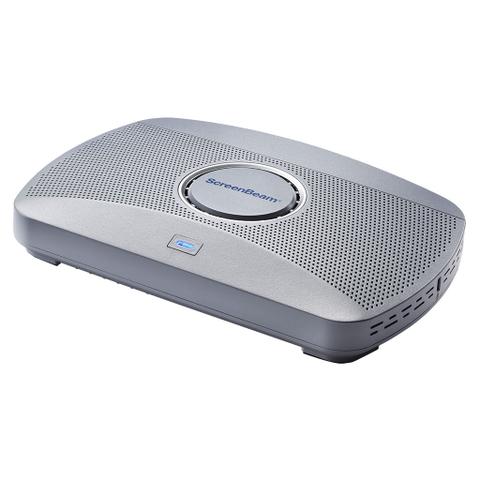

Actiontec ScreenBeam 1000 EDU Gen 2 4K Wireless Display Receiver
Out of stock at Mwave
Price checked yesterday
We may earn a commission if you buy; it doesn't change your price. Check the price at Mwave before you buy. How we make money
Price history
Tracking since yesterday
The price hasn't changed since we started tracking it. We'll show its history once it does.
About this product
- Brand
- ScreenBeam
- Store
- Mwave
- Category
- Electronics > Video > Interactive Displays & Whiteboards
- SKU
- AC78244
ScreenBeam 1000 EDU Gen 2
Wireless Screen sharing from any device, integrated Whiteboard application, digital signage, and instant notifications – in a single solution.
The ScreenBeam 1000 EDU Gen 2 is our next-generation smart wireless presentation platform with more memory, storage and performance for advanced interactive and collaborative classroom experiences.
Untether teachers, inspire learning and supercharge your classroom technology investments. Deploy an inexpensive touch display with a 1000 EDU Gen 2 and free ScreenBeam Whiteboard application and watch classroom collaboration engage in new and dynamic ways.

Digital Signage
User-friendly Digital Signage for Staff, Student and Guest Communications. Idle displays in classrooms and staff rooms can be employed to educate, inform and alert staff and students with integrated HTML-based digital signage capability.

Share content without limitations
ScreenBeam support for Miracast, AirPlay and Google Cast eliminates apps and connectivity issues in dense environments with remote management and enhanced network and device security.
Miracast
Miracast peer-to-peer connectivity allows users to share content wirelessly, use extended display, and take full advantage of Microsoft 365 features, including touch screen support and inking.
AirPlay
Supports AirPlay native in macOS and iOS devices by simply connecting your device to same network as the ScreenBeam receiver or local Wi-Fi.
Google Cast
Wirelessly display over the network with the Google Cast function on all Android devices, and Chromebook/ChromeOS devices.
User features
Treat your room display in a variety of ways
Touch display support
Windows users can markup content directly on room displays, instantly capturing changes in Microsoft Office 365 applications
Integrated Whiteboard
An integrated Whiteboard application enables a collaborative experience that launches directly from your interactive flat panel display without changing sources, pushing buttons or re-connecting to the display.
Extended desktop
Windows and macOS users can extend screen to ensure content privacy
Multi-view
Teachers can display up to four student device screens simultaneously making it easy for classroom collaboration and discussion.
Quick Switch
Easily switch between teacher, guest and student presenters without first disconnecting device.
Administrator Features
Optimise your time and IT investments without risking security
Centralised Management and Security
Role-based access supports multiple simultaneous administrators and allows for different privilege levels among administrators. With a scalable architecture, administrators can monitor and manage large deployments with ease.
- Browser-based interface provides at-a-glance easy access to critical data.
- PIN pairing options providing IT/AV departments control over the user connection models.
- Perpetual License is included in commercial receivers.
Alerts
A powerful tool to enhance your existing Emergency Response Programs, Alerts instantly transmits notifications to any room with a ScreenBeam-enabled display.
Digital Signage
Idle displays in classrooms and meeting spaces can be optimised to convey information with integrated HTML-based digital signage capability.
Local Wi-Fi, Bridge Mode
Securely leverage wired or wireless network connectivity, avoiding complex network configurations
