

Brand:ASUS
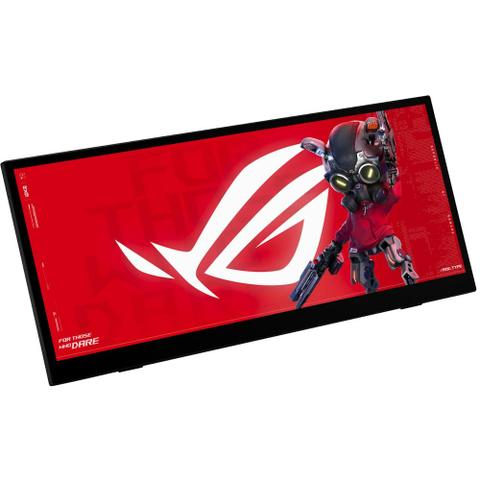
ASUS ROG Strix XG129C - 12.3" 75Hz IPS LCD Touchscreen
Best price PLE In stock

PLE's price unchanged since 25 Oct
Unchanged since we started tracking
Cheapest of 6 stores
Compare all

We may earn a commission at no cost to you. How it works
Price history
Tracking since 25 Oct · 25 days
The price hasn't changed since we started tracking it. We'll show its history once it does.
Available at 4 stores
Stores may pay us a commission when you buy; it doesn't affect the order or your price. Learn more
| Retailer | Price | Availability | Updated |
|---|---|---|---|
| Cheapest $299 | In stock | 13 Nov | |
| $299 | In stock | 17 Nov | |
| $299 | In stock | Today | |
| $299 | In stock | Yesterday |

Show 2 unavailable offers Hide 2 unavailable offers
| Retailer | Price | Availability | Updated |
|---|---|---|---|
| $299 | Out of stock | Yesterday | |
| $299 | Out of stock | Today |


About this product
- Brand
- ASUS
- Category
- Electronics > Video > Computer Monitors
Specifications
- Screen size
- 12.3"
- Resolution
- HD (720p)
- Refresh rate
- 75Hz
- Panel type
- IPS
The ASUS ROG Strix XG129C is a 12.3-inch IPS touchscreen gaming monitor designed to sit alongside a primary display. It uses a 24:9 panel with a 1920 x 720 resolution and a 75Hz refresh rate.
Its 10-point multi-touch input supports zooming, swiping and control of in-game overlays, as well as navigation within Windows and the monitor's on-screen display. Touch functionality depends on the operating system in use.
The panel covers 125% sRGB and 90% DCI-P3 colour gamuts. Its slim, ultrawide form and built-in adjustable kickstand let it slide beneath a main monitor, and a 1/4-inch tripod socket allows alternative mounting.
Key features
- 12.3-inch IPS panel, 1920 x 720 (24:9) resolution, 75Hz refresh rate
- 10-point multi-touch control
- 125% sRGB and 90% DCI-P3 colour gamut
- Dual USB-C ports (one with 20W Power Delivery) and HDMI 1.2
- Built-in adjustable kickstand and 1/4-inch tripod socket
- Bundled 1-year AIDA64 Extreme subscription with ROG SensorPanel themes for real-time hardware monitoring
- ASUS DisplayWidget Center and ASUS Control Panel software for adjusting settings
Written with AI from store descriptions