

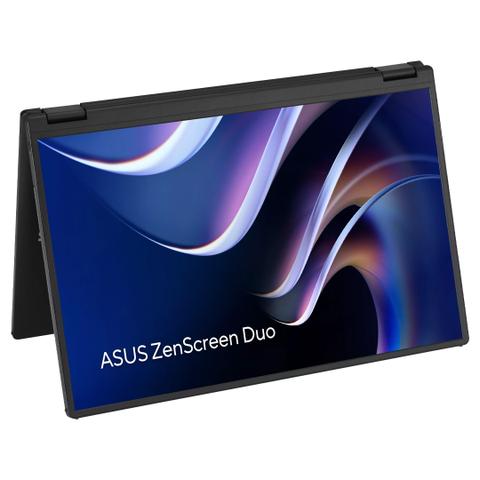

ASUS ZenScreen Duo MB14FCD Foldable Portable Monitors
Buy at PC Case GearWe may earn a commission if you buy; it doesn't change your price. Check the price at PC Case Gear before you buy. How we make money
Price history
Tracking since today
The price hasn't changed since we started tracking it. We'll show its history once it does.
Available at 2 stores
Stores may pay us a commission when you buy; it doesn't affect the order or your price. Learn more
- PC Case Gear This page $689 Cheapest In stock Checked todayBuy
- PLE $699 In stock Checked yesterday Buy

About this product
- Brand
- ASUS
- Store
- PC Case Gear
- Category
- Electronics > Video > Computer Monitors > Portable Monitors
- SKU
- MB14FCD
Specifications
- Screen size
- 14"
- Resolution
- WUXGA (1200p)
- Refresh rate
- 60Hz
- Panel type
- IPS
The ASUS ZenScreen Duo MB14FCD Foldable Portable Monitors features dual 14inch IPS displays with a 16:10, 1920x1200 WUXGA resolution, creating an expansive workspace in a compact foldable design ideal for multitasking on the go. Flexible USB-C and mini-HDMI connectivity, power pass through, auto-rotate support and a versatile 360 degree hinge with integrated kickstand provide convenient productivity across a wide range of setups.
Features

ZenScreen Duo MB14FCD
Duo, Do More On-the-Go
ASUS ZenScreen Duo MB14FCD 360° Foldable Portable Monitors - Dual 14-inch, 16:10, 1920x1200 WUXGA, IPS panel, power pass-through, Dual USB Type-C®, mini-HDMI®, auto-rotate.
The ZenScreen Duo MB14FCD redefines portable displays with two stunning 14-inch screens, offering a brilliant 1920x1200 resolution and a 16:10 aspect ratio for a seamless 20-inch workspace. Featuring a versatile folding and portable design, the MB14FCD provides an impressive array of options to elevate your PC experience. Its multiple connectivity options ensure effortless integration into any setup, whether you're enhancing productivity on the go or boosting multitasking efficiency in the office.
- Dual 14-inch IPS panels with 1920x1200 resolution and a 16:10 aspect ratio, creating a 21-inch workspace
- With Power Pass Through, the portable monitor can be powered by a laptop, or deliver power to a laptop via pass-through charging
- Versatile usage options, featuring a durable 360° hinge, a standard tripod mount, and an integrated fold-out kickstand that supports both landscape and portrait orientations
- Automatically sense its orientation and switch the monitor between landscape and portrait modes via DisplayWidget Center software
- ASUS Eye Care monitors feature TÜV Rheinland-certified Flicker-free and Low Blue Light technologies to ensure a comfortable viewing experience
- Flexible connectivity with mini-HDMI®, dual USB Type-C® ports
Compact and Stylish Design

Stylish and Sturdy Stand
This integrated fold-up stand exudes elegance and sophistication, providing stability and support.
- Portrait & Landscape mode

Unparalleled Viewing Experience
It can be set up in 270° tent mode, with a display facing each direction. With the content of each display mirrored, that would give you a comfortable way to conduct a one-on-one presentation.
- 1920 x 1200 resolution
- 16:10 screen ratio
Seamless Blend and Flexibility
Size matters. A marvel of engineering and innovation finds the sweet spot between productivity and portability.
- 14-inch folded

Seamlessly Intuitive and Expansive Capability
Effortless Connectivity
A single USB-C cable is all that’s required to duplicate or extend a laptop screen. The USB-C port handles power- and video-signal transmission, so it’s simply a matter of plug-and-play when it’s time to get work done.
- Video Signal
- Power Transmission
Multiple Display Scenario for Various Usage
MB14FCD dual screen provides various user scenarios that can be easily enabled via OSD control, offering hassle-free multi-screen setups. These include Independent mode, Extend mode, Mirror mode, and Split mode.
Split Mode
Split mode allows the MB14FCD to display content in a single, waterfall-like view. This is perfect for using as an extended monitor for your laptop while coding, reading long documents, or participating in online meetings.
*Connect with USB-C2 to have split mode
*The availability of a 1920 x 2400 resolution on the external screen will depend on the laptop's graphics card settings and HDMI capabilities.
Independent Mode
Independent mode is designed for multi-taskers. Each screen can be dedicated to a different device, unlocking a whole new world of workspace possibilities.
*Connect with USB-C 1 & 2 or mini-HDMI to have an individual screen
Mirror Mode
With mirrored displays, the MB14FCD provides a convenient way to conduct one-on-one or one-on-two presentations, allowing participants to face each other for better communication.
Extend Mode
Extend mode is designed for multitasking on-the-go. It is ideal for working and checking on various windows and screens at once.
*Connect with USB-C2 to have extend mode
*The MacBook's Type-C port, running Chrome OS with an AMD graphics card, only supports extended mode for a single external display. It cannot extend to a second display in extended mode.
* The phone's Type-C port, supporting DP Alt mode, can only support extended mode for a single external display. It cannot extend to a second display in extended mode.

Auto Rotate Support
With ASUS DisplayWidget Center software it can automatically sense its orientation and switch the display between landscape and portrait modes while connected to your laptop.
*Auto rotate function only support mirror & split mode with USB Type-C 2
*HDMI port does not support DisplayWidget Center software
*Software required. Auto-rotate function works with both Windows and MAC OS.

Extensive Connectivity
The MB14FCD has a rich selection of connectivity options, including two USB-C ports (Need to check whether the USB-C port of your laptop supports the DP Alt mode prior to use. If not, please use HDMI signal with USB-C (DC-in) power supply instead.), for display signals and power transmission. In addition, a mini-HDMI port provides broad compatibility with various devices.