

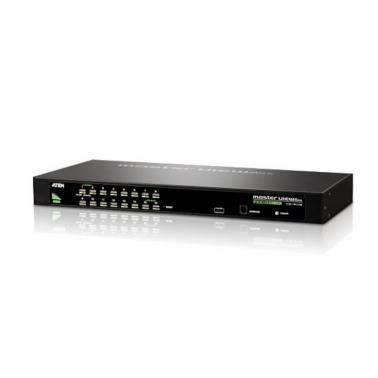
Aten 16 Port PS/2 USB VGA KVMP Rack Switch (CS1316)
Buy at MSYWe may earn a commission if you buy; it doesn't change your price. Check the price at MSY before you buy. How we make money
Price history
Tracking since today
The price hasn't changed since we started tracking it. We'll show its history once it does.
Available at 2 stores
Stores may pay us a commission when you buy; it doesn't affect the order or your price. Learn more
- MSY This page $489 Cheapest Out of stock Checked todayBuy
- Umart $489 Out of stock Checked today Buy

About this product
Aten 16 Port PS/2 USB VGA KVMP Rack Switch (CS1316)One USB-PS/2 console controls 16 computers; Cascade up to 2 levels - control up to 256 computersBroadcast mode - operations simultaneously performed on all selected computers, software installation and upgrading, system wide shutdown, etc.Computer selection via front panel pushbuttons, hotkeys and multilingual on-screen display (OSD) menuVideo DynaSync - Exclusive ATEN technology eliminates boot-up display problems and optimizes resolution when switching between portsSpecificationsComputer ConnectionsDirect16Maximum256 (via Cascade)Port SelectionOSD, Hotkey, PushbuttonConnectorsConsole Ports1 x SPHD-18 Male (Yellow)Firmware Upgrade1 x RJ-11 Female (Black)Power1 x DC JackKVM Ports16 x SPHD-15 Female (Yellow)SwitchesPorts16 x PushbuttonFirmware Upgrade1 x SlideLEDsOnline16 (Orange)Selected16 (Green)Power1 (Dark Green)EmulationKeyboard / MousePS/2, USBVideo2048 x 1536; DDC2BScan Interval1-255 SecondsPower ConsumptionDC5.3V:3.83W:26BTUEnvironmentalOperating Temperature0-50CStorage Temperature-20-60CHumidity0-80% RH, Non-condensingPhysical PropertiesHousingMetalWeight2.83 kg ( 6.23 lb )Dimensions (L x W x H)43.72 x 16.13 x 4.40 cm (17.21 x 6.35 x 1.73 in.)NoteFor some of rack mount products, please note that the standard physical dimensions of WxDxH are expressed using a LxWxH format.Package Contents1x CS1316 KVM Switch with Rack Mount Kit1x Console cable1x Firmware Upgrade cable1x Foot Pad set (4 pads)1x Power Adapter1x Mounting Kit1x User Instructions