

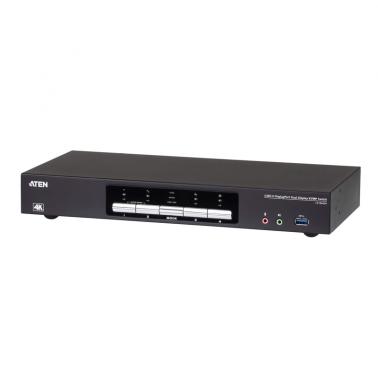
Brand:Aten
Aten 4 Port USB 3.0 4K Dual DisplayPort KVMP Switch (CS1944DP)

At 5 stores
Compare allWe may earn a commission at no cost to you. How it works
Price history
Tracking since today
The price hasn't changed since we started tracking it. We'll show its history once it does.
Available at 5 stores
Stores may pay us a commission when you buy; it doesn't affect the order or your price. Learn more
- MSY $899 Out of stock Checked today Visit
- PC Byte This page $899 Out of stock Checked todayVisit
- Umart $899 Out of stock Checked 2 days ago Visit
- Mwave $932.95 Out of stock Checked yesterday Visit
- Scorptec $995 Out of stock Checked 10 Nov Visit
- JW Computers $1,199 No longer listed Last seen 9 Nov Visit




About this product
- Brand
- Aten
- Store
- PC Byte
- Category
- Electronics > Electronics Accessories > Computer Components > Input Devices > KVM Switches
- SKU
- 50140
Specifications
- Colour
- Black
Aten 4 Port USB 3.0 4K Dual DisplayPort KVMP Switch (CS1944DP)Superior video quality 4096 x 2160 @ 60Hz and 3840 x 2160 @ 60Hz; 2-Port USB 3.1 Gen 1 hub with SuperSpeed 5 Gbps data transfer ratesQuad-Display Easily connect two CS1944DP units for a second dual-screen setup controlled through a single connectionMulti-Stream Transport (MST) allows multiple monitors through a single DisplayPort connectorDisplayPort Dual Mode technology (DP++) supports HDMI and DVI signals via a DisplayPort-to-HDMI/DVI DP++ adapterSpecificationsComputer Connections4Port SelectionHotkey, Pushbutton, Mouse, RS-232 CommandsVideo4096 x 2160 @ 60HzConnectorsConsole Ports2 x USB Type A Female2 x DisplayPort Female (Black)2 x 3.5mm Audio Jack Female (Green; 1 x front, 1 x rear)2 x 3.5mm Audio Jack Female (Pink; 1 x front, 1 x rear)KVM (Computer) Ports4 x USB3.1 Gen1 Type B Female (Blue)8 x DisplayPort Female (Black)4 x 3.5mm Audio Jack Female (Green)4 x 3.5mm Audio Jack Female (Pink)Daisy Chain Ports1 x RJ-45 FemalePower1 x DC JackUSB Hub2 x USB3.1 Gen1 Type A Female (Blue; 1 x front; 1 x rear)SwitchesSelected5 x PushbuttonStation Selection1 x Slide SwitchEmulationKeyboard / MouseUSBScan Interval1-99 seconds (default: 5 seconds)Power ConsumptionDC12V:5.76W:84BTUEnvironmentalOperating Temperature050CStorage Temperature-2060CHumidity0-80% RH, Non-condensingPhysical PropertiesHousingMetalWeight1.51 kg ( 3.33 lb )Dimensions (L x W x H)33.50 x 15.66 x 4.40 cm (13.19 x 6.17 x 1.73 in.)NoteFor some of rack mount products, please note that the standard physical dimensions of WxDxH are expressed using a LxWxH format.Package Contents1x 4-Port USB 3.0 4K DisplayPort Dual Display KVMP Switch8x DisplayPort 1.2 Cables4x USB 3.0 Cables8x Audio Cables1x Power Adapter1x User Instructions