

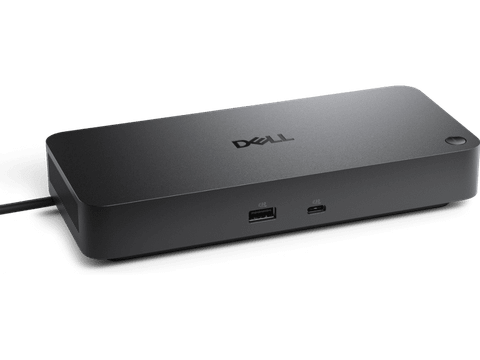

Dell Pro WD25TB4 Thunderbolt 4 130W Dock (210-BTHF)
In stock at PC LAN
Price checked today
We may earn a commission if you buy; it doesn't change your price. Check the price at PC LAN before you buy. How we make money
Price history
Tracking since today
The price hasn't changed since we started tracking it. We'll show its history once it does.
About this product
Dell Pro WD25TB4 Thunderbolt 4 130W Dock (210-BTHF)
Power AI productivity
Maximise your AI PC productivity by seamlessly using Gen AI tools across up to four 4K 60Hz displays. Stay powered with up to 130W power delivery and connect all your peripherals effortlessly.

Accelerate manageability
Enhance IT efficiency across the modern workspace.

Improved manageability
Manage your dock through the Dell Device Management Console, using the Dell Display and Peripheral Manager along with the Dell Device Management Agent installed on your PC.
Learn More
Simplify firmware updates
Reduce IT complexity by deploying a single firmware file across workspaces. Minimise end-user disruption with silent firmware updates, executed upon dock disconnection.
Unlock out-of-band management on select Intel® vPro® PCs with Intel® Active Management Technology (Intel® AMT) over Thunderbolt via the connected dock.
Work with confidence
Enhance your docking experience across brands with universally compatible features including MAC Address Pass-Through and Power Button Sync[1].
Connect your way
Configure your workspace to your liking with an ambidextrous USB-C cable[2] that can be routed left or right.
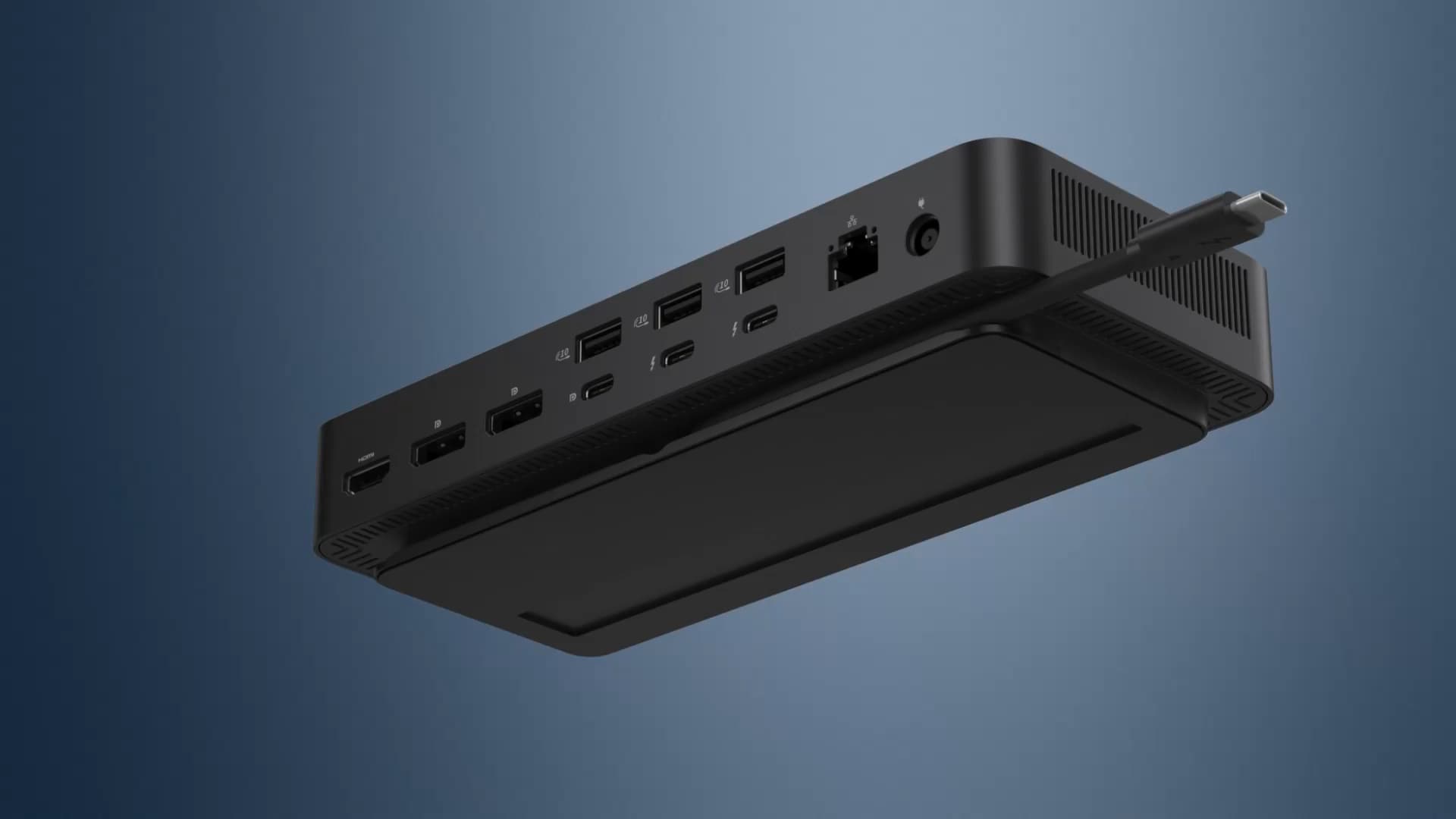
Ports and slots

Front side
1USB-A 3.2 Gen 2 with PowerShare
2USB-C 3.2 Gen 2
Rear side
3USB-A 3.2 Gen 2 with PowerShare
4USB-A 3.2 Gen 2 with PowerShare
5USB-A 3.2 Gen 2 with PowerShare
6HDMI 2.1
7DisplayPort 1.4
Rear side
8DisplayPort 1.4
9USB-C 3.2 Gen 2 Multifunction DisplayPort 1.4
10Thunderbolt 4
11Thunderbolt 4
122.5 Gigabit Ethernet (RJ45)
13Power In
Specifications
| Model | Dell Pro Thunderbolt 4 Dock - WD25TB4 |
| Connectivity Technology | Wired |
| Device Supported | Notebook Desktop PC |
| Number of Displays Supported | 4 |
| Features | Power Delivery Pass-through LED Power Indicator Indicator Light |
| Maximum Data Transfer Rate | 1.25 GB/s |
| Power Delivery | 130W (Dell Systems) 96W (non-Dell Systems) |
| Power Delivery Details | 4 x USB-A 3.2 Gen 2 (4.5W each) 1 x USB-C 3.2 Gen 2 (15W) 1 x USB-C Multi-function DisplayPort (7.5W) 2 x Thunderbolt 4 (15W each) All deliver power with or without PC |
| Ethernet Technology | 2.5 Gigabit Ethernet |
| Host Interface | Video interfaces 2 x DP 1.4 1 x HDMI 2.1 1 x USB-C 3.2 Gen 2 Multi-function DisplayPort 1.4 2 x Thunderbolt 4 USB Ports (Data Only) 4 x USB-A 3.2 Gen 2 (10 Gbps) 1 x USB-C 3.2 Gen 2 (10 Gbps) |
| Total Number of USB Ports | 6 |
| Number of USB Type-A Ports | 4 |
| Number of USB Type-C Ports | 2 |
| Number of DisplayPorts | 2 |
| Number of HDMI Ports | 1 |
| Number of Thunderbolt 4 Ports | 2 |
| Package Contents | Pro Dock WD25TB4 Docking Station Power Adapter Power Cord Documentation (Quick Start Guide, Safety, Environmental, and Regulatory Information) |
| Warranty | 3 Years |