

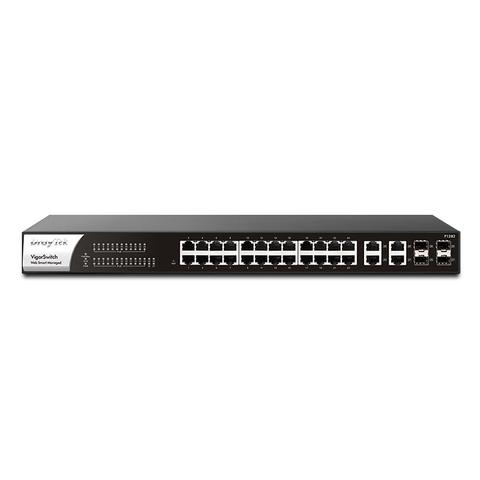
Brand:DrayTek
DrayTek VigorSwitch P1282 28-Port Web Smart Managed Gigabit Switch
At Mwave In stock

Same price since 29 Oct
Unchanged since we started tracking
We may earn a commission at no cost to you. How it works
Price history
Tracking since 29 Oct · 23 days
The price hasn't changed since we started tracking it. We'll show its history once it does.
About this product
- Brand
- DrayTek
- Category
- Electronics > Networking > Hubs & Switches > Managed Switches
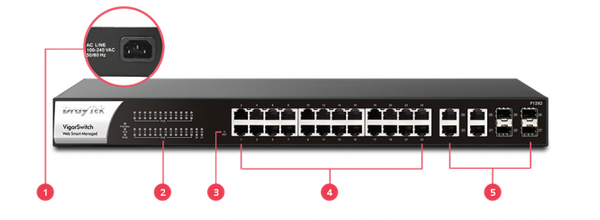
1 - Power Socket
2 - LED Indicator
3 - Reset Button
4 - 24 x PoE/PoE+ Gigabit Ethernet ports
5 - 4x Gigabit Ethernet/SFP Combo ports
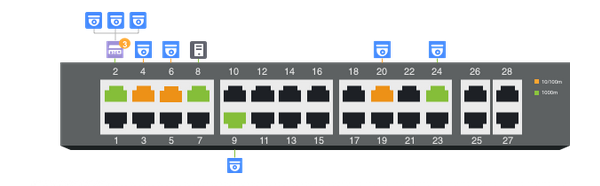
Centralised Hierarchical View
The VigorSwitch P1282 automatically detects ONVIF devices and displays the topology of connected IP cameras and NVRs.
Image Viewing
Images filmed by IP cameras can be viewed directly within the VigorSwitch P1282 web UI.
Device Management
Basic configuration/maintenance tasks for ONVIF devices such as remote reboot, factory reset and changing network settings can all be done remotely from the VigorSwitch P1282 web UI.

LAN Management
An all-in-one management platform for Vigor devices on the LAN side.
Automatic Device Discovery
Connect a Vigor Switch or AP to the LAN side of the Vigor Router, and the router will auto-discover the device to allow it to be managed.
Provisioning
Basic settings may be done on the Vigor Router, and then provisioned to the managed Vigor Switches or APs.
Monitoring
The Vigor Router provides a centralized view of managed devices, so you can monitor and check the status of Vigor Switches or APs connected.
System Maintenance
Perform factory resets, save/restore configuration backups, or trigger reboots remotely from the Vigor Router’s interface. There is no need to log in to each device’s management page.
