

Brand:Gigabyte
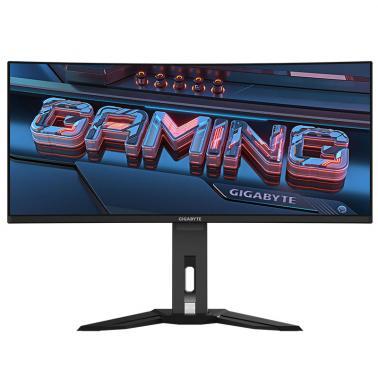
Gigabyte MO34WQC2 34-inch UWQHD QD-OLED 240Hz Curved Gaming Monitor
Last price at Umart seen yesterday
Not available at any store we track right now
We may earn a commission at no cost to you. How it works
Price history
Tracking since 9 Nov · 13 days
The price hasn't changed since we started tracking it. We'll show its history once it does.
Available at 3 stores
Stores may pay us a commission when you buy; it doesn't affect the order or your price. Learn more
| Retailer | Price | Availability | Updated |
|---|---|---|---|
| $1,289 | Out of stock | Yesterday | |
| $1,289 | Out of stock | Yesterday | |
| $1,289 | Out of stock | Yesterday |


About this product
- Brand
- Gigabyte
- Category
- Electronics > Video > Computer Monitors
Specifications
- Screen size
- 34"
- Resolution
- UltraWide QHD (3440×1440)
- Refresh rate
- 240Hz
- Panel type
- OLED
SPECIFICATIONS:Panel Size (diagonal)34" OLED Display Viewing Area (HxV)800.06 x 337.06 mm Panel Backlight/ TypeOLED Display Surface(non-glare/ glare)Anti-Reflection Color Saturation99% DCI-P3 True Resolution3440 x 1440 (WQHD) Pixel Pitch0.2315(H) x 0.2315(V) mm Brightness250 cd/m (Typ, SDR APL 100%); 1000 cd/m (Typ, HDR APL 3%) Contrast Ratio1.5M:1 Viewing Angle178(H)/178(V) Display Colors10bit (1.07B) Response Time0.03ms GTG Refresh Rate240Hz HDRVESA DisplayHDR True Black 400 VESA Certified ClearMRClearMR 13000 Flicker-freeYes Connectivity2 x HDMI 2.1 1 x Displayport 1.4 1 x USB Type-C (Alternate Mode; Upstream port; Power Delivery up to 18W) 2 x USB 3.2 Downstream ports 1 x USB 3.2 Upstream port 1 x Earphone Jack 1 x Microphone Jack Earphone JackYes Speaker3W x 2 Unique FeaturesTactical Switch OSD Sidekick * Black Equalizer 2.0 Dashboard Crosshair Timer Counter Eagle Eye PiP/PbP Auto-Update KVM 6 axis Color Control Apply Picture Mode HDMI-CEC Power TypePower Board Build-in Power Consumption48W ** Power Saving Mode<0.5W Power Off Mode<0.3W VoltageAC 100-240V ~ 50/60Hz Tilt(angle)-5~+20 Swivel(angle)30 Height Adjustment (mm)130 mm VESA Wall Mounting(mm)100100 mm Kensington lockYes Phys. Dimension with Stand (WxHxD)811.7 x 595.3 x 244.3 mm Phys. Dimension w/o stand (WxHxD)811.7 x 361.2 x 105.8 mm Box Dimension (WxHxD)990527238 mm Net Weight with stand (Esti.)9.86 kg Net Weight without stand (Esti.)6.68 kg Gross Weight (Esti.)12.5 kg AccessoriesPower cable/HDMI 2.1 cable/DP cable/USB cable/QSG/Warranty card NoteTo enable OSD Sidekick (integrated in GCC), it requires connection between PC and monitor with HDMI/DP cable. **The test condition follows CEC standards.