

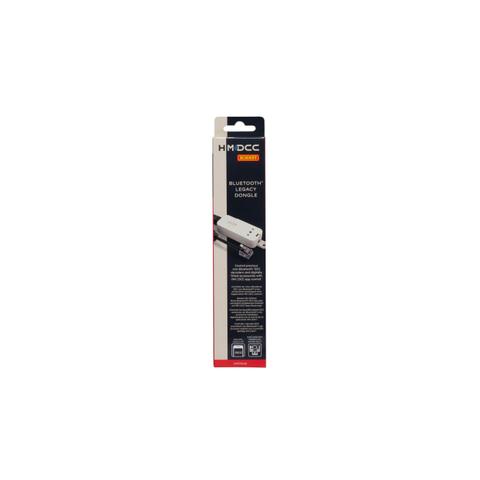
Brand:HORNBY
Hornby OO Hm7040 Bluetooth Legacy Dongle – Hobbyco
At JB Hi-Fi In stock

Same price since 6 Nov
Unchanged since we started tracking
We may earn a commission at no cost to you. How it works
Price history
Tracking since 6 Nov · 13 days
The price hasn't changed since we started tracking it. We'll show its history once it does.
About this product
- Brand
- HORNBY
- Category
- Arts & Entertainment > Hobbies & Creative Arts > Model Making > Model Train Accessories
Specifications
- Colour
- Hobbyco
Hornby R7326 OO Hm7040: Bluetooth Legacy Dongle is a digital model railway accessory designed to provide Bluetooth connectivity for compatible existing DCC controllers and enable control through the HM | DCC app.
Featuring:
- Bluetooth Connectivity: Provides Bluetooth connectivity for compatible existing DCC control equipment.
- Control & Compatibility: Designed for use with Hornby Select (R8213) and Elite (R8214) controllers via their XpressNet sockets. It can be used with non-Bluetooth DCC decoders and HM7000 decoders operating in DCC Mode.
- Controller Integration: Connects to the controller through an XpressNet socket using the RJ11/RJ12 connection.
Technical Specifications:
- Brand: Hornby
- Model Type: Accessory
- Control System: DCC
- Material: Plastic
- Included: 1x Bluetooth Legacy Dongle, 1x Instructions
Ideal for model railway enthusiasts looking to add Bluetooth and HM | DCC app control to a compatible existing DCC setup.
Why this model matters
The HM7040 Bluetooth Legacy Dongle provides a dedicated connection between compatible Hornby DCC controllers and the HM | DCC app. It is designed to extend the functionality of existing Select and Elite controllers while supporting control of non-Bluetooth DCC decoders and HM7000 decoders in DCC Mode.
How to use it
Connect the Bluetooth Legacy Dongle to the XpressNet socket of a compatible Hornby Select or Elite controller, then use the HM | DCC app for control. Follow the supplied instructions for setup and operation. Compatible DCC equipment should be connected and configured according to its manufacturer's instructions.