

Brand:Insta360
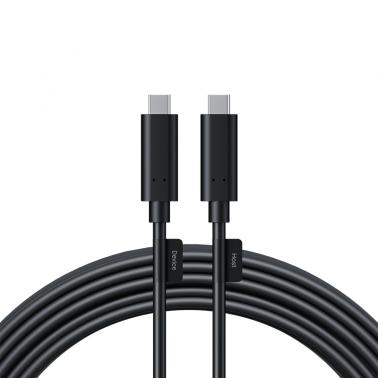
Insta360 Connect Extra Long USB-C Cable - 10m (CINSBABE)

We may earn a commission at no cost to you. How it works
Price history
Tracking since today
The price hasn't changed since we started tracking it. We'll show its history once it does.
About this product
SPECIFICATIONS
Maximum Transmission10GBps CompatibilityUSB 2.0/3.0/3.1/3.2 Installation LocationsWalls, ceilings, raceways and conduits. Suitable DevicesSelf-powered Cable TypeFiber/Copper hybrid ConnectionUSB-C to USB-C Tensile Strength40N Crush Load480N Dynamic Minimum Bend Radius50mm (2.0in) Minimum Duct Diameter17mm (0.7in) Cable Diameter5mm (0.2in) Operating Temperature-4F to 12F (-20 to 50) NotesInstallation: Connect the computer to Insta360 Connect by plugging the host end of the cable into the computer and the device end into Insta360 Connect. Ensure you differentiate between the input and output ports when using the Extra Long USB-C Cable, as it supports one-way transmission only. *Notes: Before wiring, test the signal to ensure it is transmitting properly. When wiring, use the wire puller at the front and avoid pulling the cable or connector directly. The connector contains a built-in chip. Avoid drops and impacts, and always hold the connector when plugging or unplugging the cable. Avoid heavy or sharp objects near the cable to prevent damage, and do not pull or tie it forcefully.