

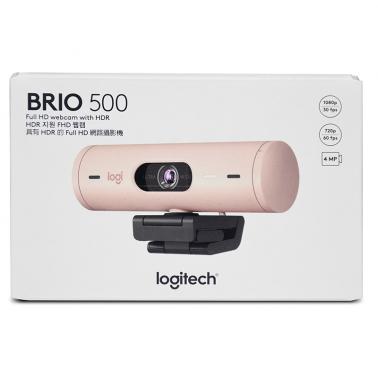

Logitech Brio 500 FHD 1080p USB-C Webcam - Rose (960-001433)
Price$133
In stock at Umart
Price checked today
We may earn a commission if you buy; it doesn't change your price. Check the price at Umart before you buy. How we make money
Price history
Tracking since today
The price hasn't changed since we started tracking it. We'll show its history once it does.
About this product
Specifications
- Colour
- Rose
SPECIFICATIONS:
| DIMENSIONS | |
|---|---|
| Webcam only | Height: 31.5 mm Width: 110 mm Depth: 31.5 mm Webcam + Mount Height: 51.5 mm Width: 110 mm Depth: 45 mm, incl. mount clip Weight: 121 g, incl. mount clip & cable Attached Cable length: 1.5 m |
| Mounting Clip | Height: 25 mm Width: 45.8 mm Depth: 65.1 mm Weight: 40 g, incl. Removable mount adapter |
| TECHNICAL SPECIFICATIONS | |
| Multiple resolutions | 1080p/30fps (1920x1080 pixels) 720p/60fps (1280x720 pixels) |
| Technical specifications | Camera megapixel: 4MP Diagonal field of view (dFoV): 90°/78°/65° Hardware zoom: 4x digital zoom Focus type: Autofocus Lens type: Glass Built-in Microphone type: Stereo microphone Mic range: Up to 1.22 m USB connectivity: USB-C plug-and-play Privacy shutter: Integrated Rightlight 4 with HDR for clear image in various lighting environments ranging from low light to direct sunlight The detachable universal mounting clip fits laptops, LCD displays, or monitors Supported in Logi Tune |
| COMPATIBILITY | |
| Required | Available USB-C port |
| Works With | Windows, macOS, or ChromeOS and virtually any popular video calling platform. |
| Certified for | Microsoft Teams, Zoom, Google Meet, Works With Chromebook |
| Compatible with | Windows 8 or later (Windows 8.1 or higher required for resolutions greater than 1080p) macOS 10.10 or later ChromeOS (2GB RAM or more needed for 1080p video streaming and 1GB RAM is typically needed for streaming 720p) |
| In the Box | Brio 500 with attached USB-C cable Mount clip with removable mount adapter User documentation |