

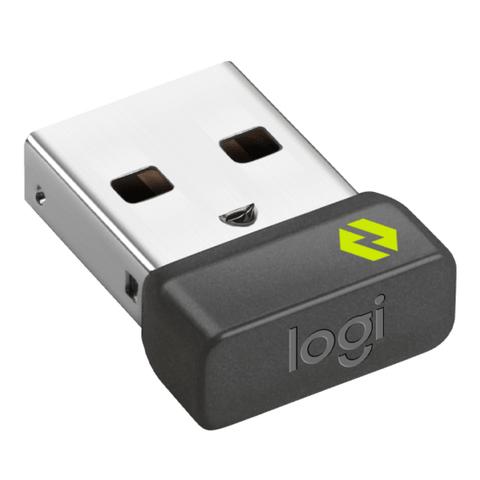

Logitech Logi Bolt USB Receiver
In stock at PC Case Gear
Price checked today
We may earn a commission if you buy; it doesn't change your price. Check the price at PC Case Gear before you buy. How we make money
Price history
Tracking since today
The price hasn't changed since we started tracking it. We'll show its history once it does.
About this product
- Brand
- Logitech
- Store
- PC Case Gear
- Category
- Electronics > Electronics Accessories > Computer Components > Input Devices > Mice & Trackballs
- SKU
- 956-000009
The Logitech Logi Bolt receiver lets you have a secure, high-performance wireless connection between your Logi Bolt wireless mouse, keyboard, or combo, and your computer, and is supported via the Logi Options + app. This USB receiver allows you to connect up to 6 Logi Bolt devices.
Features
Logi Bolt USB Receiver
USB receiver to be used with your Logi Bolt wireless mouse and keyboard.
Use this Logi Bolt USB receiver to make a secure, high performance wireless connection between your Logi Bolt wireless mouse, keyboard or combo, and your computer.

For Backup or Multi-Computer Use
Have it handy in case you need to replace the receiver that came with your Logi Bolt wireless device. Connect to two different computers with a strong, secure Logi Bolt wireless connection on both devices. You can use your Bolt Receiver with your Flow-enabled Logi Bolt mouse for your multi-computer workflows using the Logi Options+ App. (Available on Windows and macOS at logi.com/optionsplus) These are just a few reasons to buy a Logi Bolt receiver.

Reliable, Secure Wireless
Designed for security and high performance, Logi Bolt delivers a strong and secure, no drop-off connection for up to 10 meters (Wireless range may vary depending on operating environment and computer setup.), even in congested wireless environments. Compatible with: Windows®, macOS, Linux® (Logi Bolt wireless devices’ basic functions will be supported without additional drivers in ChromeOS and most popular Linux distributions), ChromeOS™ (Logi Bolt wireless devices’ basic functions will be supported without additional drivers in ChromeOS and most popular Linux distributions).

Discrete and Convenient
One port is all it takes. Once the receiver is plugged in, you can keep it installed. Take your laptop and connected Logi Bolt devices with you to different workspaces and keep working.

Easy Pairing
Pair it with Logi Bolt wireless mice and keyboards (Requires Logi Options+ App available on Windows and macOS at logi.com/optionsplus). Simply visit logi.com/optionsplus to download Logi Options+ App, then follow step by step on-screen instructions.

One Receiver – 6 Devices
Connect up to 6 Logi Bolt wireless keyboards and mice to one computer (Requires Logi Options+ App available on Windows and macOS at logi.com/optionsplus) with a single Logi Bolt receiver – and forget the hassle of multiple USB receivers. Plus, keep one wireless keyboard/mouse set in each workspace, then simply move your laptop into range. No need to carry or commute with mice or keyboards.