

Brand:SAMSUNG
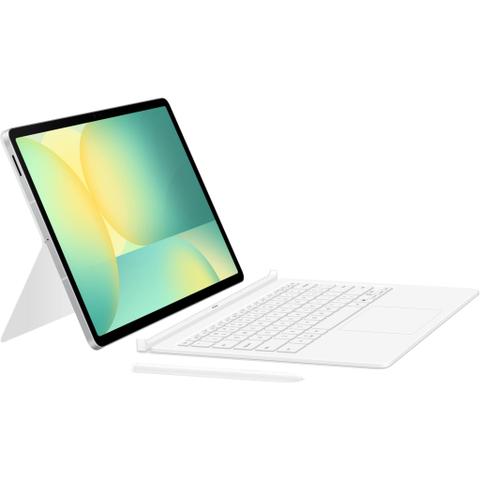
Samsung Galaxy Tab S10 FE+ Book Cover Keyboard with AI Key (White)

We may earn a commission if you buy; it doesn't change your price. Check the price at JB Hi-Fi before you buy. How we make money
Price history
Tracking since yesterday
The price hasn't changed since we started tracking it. We'll show its history once it does.
About this product
- Brand
- SAMSUNG
- Store
- JB Hi-Fi
- Category
- Electronics > Electronics Accessories > Computer Accessories > Handheld Device Accessories > Tablet Computer Accessories
- SKU
- 811919
Specifications
- Colour
- White
Key Features
Your key to instant AI access
Galaxy AI Key gives you easy access to AI-powered assistant, Bixby or Gemini. Simply tap the dedicated key and let your AI assistant handle your query — it's that simple to get things done.
PC-like experience with a single tap
Get things done easily with the Book Cover Keyboard. The full-size keycaps, function keys and trackpad, combined with DeX mode, deliver a PC-like experience with a single tap.
Magnetically attachable for easy replacement
With its magnetic design, you can easily attach and detach the back cover to personalize your device. Replace it according to your preference to fit your everyday needs.
Effortless comes in 150°
Take it all the way back to 150° for a new level of freedom with the Book Cover Keyboard. Adjust the angle on the back easily to find your perfect position to send emails, blog, study — you name it.
Enhance your productivity with wireless sharing
With Wireless Keyboard Sharing, you can easily connect to your other Galaxy devices and smoothly type or navigate on them. Switch between devices with ease and take control of your phone as you would on your tablet.1
*Tablet sold separately.
1 Wireless Keyboard Sharing is supported on Galaxy smartphones running One UI 3.1 or above and Galaxy Tab devices running One UI 2.5 or above, connected to the Book Cover Keyboard via POGO.*To enable Wireless Keyboard Sharing, both devices must be logged in to the same Samsung account. Performance may vary depending on user network environment.*Up to 3 devices can be registered for Wireless Keyboard Sharing.*Wireless Keyboard Sharing can be turned on/off in Settings > General Management > Physical Keyboard > Wireless Keyboard Sharing.