

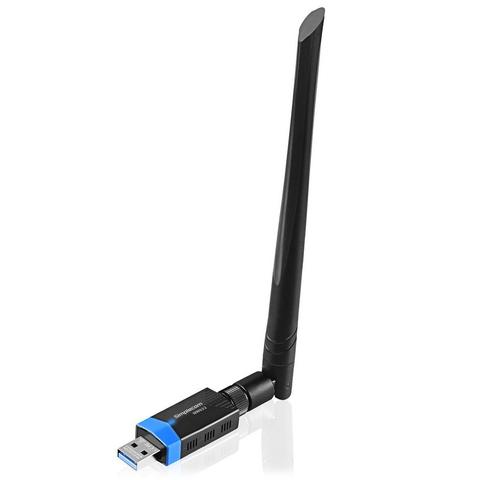

Simplecom NW632 WiFi 5 Bluetooth 5.0 Dual Band USB Adapter
In stock at PC Case Gear
Price checked today
We may earn a commission if you buy; it doesn't change your price. Check the price at PC Case Gear before you buy. How we make money
Price history
Tracking since today
The price hasn't changed since we started tracking it. We'll show its history once it does.
About this product
- Brand
- Simplecom
- Store
- PC Case Gear
- Category
- Electronics > Networking > Network Cards & Adapters > Wi-Fi Network Cards & Adapters
- SKU
- NW632
The Simplecom NW632 is a 2-in-1 wireless adapter, which supports both Wi-Fi and Bluetooth connection at the same time. It supports dual-band Wi-Fi 5 with connection speeds of up to 867MB/s at 5GHz, and Bluetooth 5.0. It also features a 5dBi adjustable high gain antenna for high performance and long distance connection.
Features
The Simplecom NW632 USB Adapter also support Bluetooth 5.0 connection so you don’t need a separate Bluetooth adapter for your PC. You can connect your Bluetooth enabled devices such as keyboards, mice, headsets, speakers, printers, controllers, phones and more.
It is an ideal all in one wireless solution for your PC, providing both fast Wi-Fi data transmission and stable Bluetooth connection, whether it is playing online games, watching online videos or listening to Bluetooth Audio, there will be no disconnection, delay, lagging.
Features of the Simplecom NW632 Wi-Fi 5 Bluetooth 5.0 Dual Band USB Adapter at a glance:
- 2-IN-1 Wi-Fi 5 and Bluetooth 5.0 combo wireless adapter
- Wi-Fi 5 compliant, support dual band AC1200 at 2.4GHz and 5GHz
- Bluetooth 5.0 compliant, backwards compatible with Bluetooth 2.0/3.0/4.0
- USB 3.0 Interface, backward compatible with USB 2.0
- 5dBi high gain antennas provide high performance and long distance connection
- Dual Band Wi-Fi 5 supports up to 867Mbps on 5GHz and 300Mbps on 2.4GHz
- Ideal for HD streaming, online gaming and downloading
- Bluetooth Low Energy technology for energy-saving wireless connectivity
- Easy to install and configure with the setup CD and Utility