

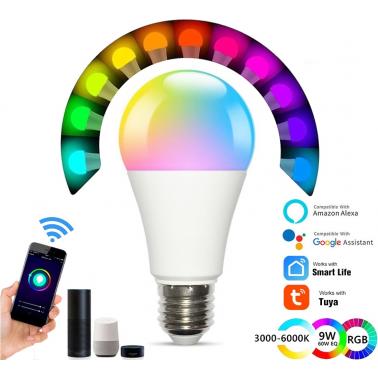

Smart Light Bulbs WiFi LED Bulb globe Voice & Remote Control Dimmable Multicolor RGBCW Compatible with Alexa Google Home SmartThings No Hub Required
Out of stock at Umart
Price checked today
We may earn a commission if you buy; it doesn't change your price. Check the price at Umart before you buy. How we make money
Price history
Tracking since today
The price hasn't changed since we started tracking it. We'll show its history once it does.
About this product
Specifications
- Colour
- Multicolor
⭐【SMARTPHONE CONTROLLED】💡 Wished you had more control over your home lighting ? Maybe you wanted to change the color and tone to reflect your mood.Or you just want to turn off the LED bulb light while you stay on the couch.With the smart lightbulbs will do. Smartphone controlled with a color palette of 16 million colors plus white,you can now personalize your lighting to suit your needs
⭐【VOICE & REMOTE CONTROLLED】💡 you can now control your lamp cap E27 light bulb with your voice.And our remote control feature allows you to control your led lights from anywhere from your smartphone or tablet.Compatible with Alexa, Google Home. Feel free to power your smart light globe on/off, adjust brightness,or change the colors with your voice or Smartphone (Smart Life app is required)
⭐【WIFI SMART CONTROL & NO HUB REQUIRED】💡 You can set different light modes to match various occasions, such as Theater Mode, Timer Schedule, Music Sync, Scene Control, Dimmable, Color Palette, Group Control, Night light, Sunrise, Sunset, Dynamic Mode, Customized Mode, Widget Control. No hub is required,Super easy for non-experts
⭐【MUSIC SYNC】💡 Sync lighting to your favorite music and enjoy every beat to the fullest.Transform any room into a dance floor,or create a relaxing and tranquil atmosphere. This is a great way to relax and unwind after a long day or make your kids bedtime an enjoyable experience
⭐【GROUP CONTROL】💡 Purchased more than one lightbulb? With app control,you can create a group to simultaneously control multiple bulbs with Bluetooth or 2.4Ghz Wi-Fi. You can also share your account with friends and family for more fun
💗【LOW LATENCY】💡Wi-Fi & Bluetooth dual mode smart bulb connection brings a more stable connection with lower latency than single Wi-Fi mode. Instant changes when you tap the screen
💗【LIGHT SCHEDULES & TRIGGERS】💡 With light schedules WiFi can make the lightbulbs seem like you're home when you are not. Set the LED bulb lights to come on at a pre-set time so you can come home to a bright well lit home. Use the Sunrise feature to wake up gently to a gradually brightening light. Let the flashlights turn off gradually at night so you never have to worry whether you've left any lights on
💗【SIMPLE AND EFFICIENT】💡 The smart lighting bulb are simple to install and use. Simple screw in the bluetooth bulb, power it on, and you have the next generation WIFI light bulb at your fingertips.Please make sure the smart lights bulb is placed in a E27 socket with good wifi signal strength. Placing in metal or enclosed fixture is going to interfere with the wifi signal
Description :
❶ Automate Wifi smart control,energy saving and wide usage
❷ No hub required,Wi-Fi & bluetooth is built into the lightbulb
❸ 9-Watt, 800 Lumens equivalent to a traditional 60-Watt incandescent smart light bulb
❹ Customizable colors + adjust from cool to warm white light,2700-6500K
❺ Control your home lights from anywhere with your smartphone using the SMART LIFE or TUYA SMART app (iOS, Android)
❻ Choose from millions of colors-new brighter colors
❼ Dim the brightness to customize your lighting experience
❽ Set your schedule to turn your lights on/off automatically
Operating steps :
1.Install lightbulbs on socket
2.Download App Smart Life
3.Search and connect
Group Control via Smart Life APP :
How to control multiple smart lighting bulbs at the same time?
1. Open the Smart life app
2. Click on the “Home” page
3. Choose one of the bulbs you want to control
4. Click the“...” option in the top right corner
5. Click “Create Group”
6. Choose all the bulbs you want to control