

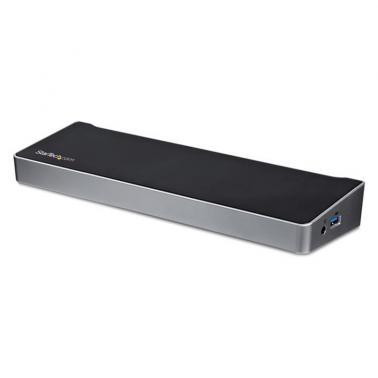
Startech 4K Laptop Docking Station USB-C Triple Monitor 60W PowerDelivery DP+HDMI 5xUSB3.0
Buy at MSYWe may earn a commission if you buy; it doesn't change your price. Check the price at MSY before you buy. How we make money
Price history
Tracking since today
The price hasn't changed since we started tracking it. We'll show its history once it does.
Available at 2 stores
Stores may pay us a commission when you buy; it doesn't affect the order or your price. Learn more
- MSY This page $239 Cheapest In stock Checked todayBuy
- Umart $239 In stock Checked today Buy

About this product
SPECIFICATIONS
Connector Type(s)2 - DisplayPort (20 pin) 1 - HDMI (19 pin) 2 - USB 3.2 Type-C (24 pin, Gen 1, 5Gbps)1 - USB 3.2 Type-A (9 pin, Fast-Charge) 3 - USB Type-A (9 pin, 5 Gbps) 1 - RJ-45 1 - 3.5 mm Mini-Jack (4 Position) 2 - 3.5 mm Mini-Jack (3 Position) 1 - Security Lock Slot Operating Temperature0C to 60C (32F to 140F) Storage Temperature-20C to 60C (-4F to 140F) Humidity0~95% RH 4K SupportYes Fast-Charge Port(s)Yes Displays Supported3 Bus TypeUSB-C Compatible Lock SlotKensington Standard Slot (K-Slot) Industry StandardsUSB Power Delivery Specification Rev. 2.0USB Battery Charging Specification Rev. 1.2DisplayPort 1.2 IEEE 802.3, IEEE 802.3u, IEEE 802.3ab USB 3.0 - Backward compatible with USB 2.0 and 1.1 Chipset IDDisplayLink - DL-6950 Genesys Logic - GL3523 Texas Instruments - TPS65982 Parade Technologies - PS176 Shipping (Package) Weight3.1 lb [1.4 kg] Package Quantity1 Package Length11.7 in [29.6 cm] Package Width6.3 in [16.1 cm] Package Height2.8 in [71 mm] Maximum Data Transfer Rate5 Gbps (USB 3.0) 2 Gbps (Ethernet; Full-Duplex) Maximum Digital Resolutions1x HDMI (DP Alt Mode) - 4096 x 2160p @24Hz / 3840 x 2160p @30Hz 2x DisplayPort (DisplayLink) - 4096 x 2160p @60Hz / 3840 x 2160p @60Hz 1x 5K DisplayPort using 2 DP video ports - 5120 x 2880 @60Hz Lower resolutions are also supported. For example, if the max is 3840 x 2160p (4K), it also supports 2560 x 1600p and 2560 x 1440p. Type and RateUSB 3.0 - 5 Gbit/s UASP SupportYes Compatible Networks10/100/1000 Mbps Auto MDIXYes Full Duplex SupportYes ColourBlack & Silver MaterialPlastic Product Length10.6 in [27 cm] Product Width3.2 in [82 mm] Product Height1.3 in [3.4 cm] Weight of Product13.6 oz [385 g] Power SourceAC Adapter Included Power Delivery60W Input Voltage20V DC Input Current2 A Output Voltage20V DC Output Current6 A Center Tip PolarityPositive Plug TypeN OS CompatibilityWindows 7, 8, 8.1, 10, 11 macOS 10.9 - 10.12, 10.14 - 10.15, 11.0, 12.0, 13.0 Ubuntu 18.04, 20.04 Chrome OS v55+ Note Not all USB-C ports support the full functionality of the USB Type-C standard. Ensure that your host USB-C port supports USB Power Delivery 2.0 and DP alt mode. 4K resolution is supported on all 3 video ports. A 4K-capable DisplayPort display is required to achieve 4Kx2K resolutions If connected to a USB 2.0 host port, or if using a USB 2.0 host connection cable, performance may be limited (USB 3.0 host cable included) USB 3.0 is also known as USB 3.1 Gen 1; this connectivity standard offers speeds up to 5Gbps 5K resolution is supported by connecting the two DisplayPort video ports to a single 5K display. A 5K-capable display is required to achieve 5K (5120 x 2880 60Hz) resolutions The dock connects to the USB-C port on your laptop. The dock can also be connected to the USB-A port on laptops using a USB-C to A cable, sold separately, but only dual display is supported, and Power Delivery to charge your laptop is not available through USB-A DisplayLink docking stations and video adapters support more than one external display on Apple's M1-based Mac. Requires driver installation. Please contact StarTech.com support for a recommendation based on your specific setup. System and Cable RequirementsUSB-C enabled computer with an available USB Type-C port Included in Package1 - docking station 1 - USB-C cable 1 - universal power adapter (NA/JP, ANZ) 1 - instruction manual 1 - add anti-slip rubber pads