

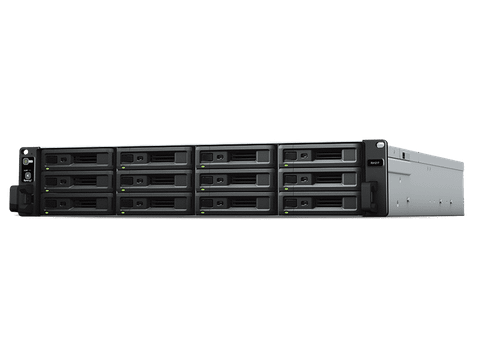

Synology Expansion Unit RX1217RP 12-Bay 3.5" Diskless NAS (2U Rack) (SMB/ENT)
Out of stock at PC LAN
Price checked today
We may earn a commission if you buy; it doesn't change your price. Check the price at PC LAN before you buy. How we make money
Price history
Tracking since today
The price hasn't changed since we started tracking it. We'll show its history once it does.
About this product
Volume expansion & backup
When drive capacity is running low on a Synology RackStation, Synology RX1217RP/RX1217 offers an easy way to immediately expand storage by providing 12 additional drive slots. The RAID volume on the Synology RackStation can be expanded directly without having to reformat the existing hard drives, ensuring service continuity during the expansion process. To ensure 24/7 service uptime, Synology RX1217RP is equipped with redundant power supplies, allowing automatic failover support if one of the PSUs fail.
When created as a separate volume, Synology RX1217RP/RX1217 also serves as an additional local backup destination for Synology RackStations.
Reliable plug-and-use design
Synology RX1217RP/RX1217 securely connects to Synology RackStation servers with a high-bandwidth expansion cable, ensuring maximum data throughput and smooth operation — as if they are part of the internal drives of Synology RackStation. SATA 6Gb/s interface ensures the installed drives provide high quality, outstanding data processing performance.
Green & easy to manage
Hibernation mode can be manually configured to start automatically when the system has been inactive for a period of time. This not only saves energy but also extends the lifespan of hard drives. RX1217RP/RX1217 will also smartly power on/off with the attached RackStation, so no user intervention is needed to keep this system running smartly and efficiently.
Supports creating volumes across different units
- 21 series:RS4021xs+, RS3621xs+, RS3621RPxs, RS2821RP+, RS2421RP+, RS2421+
- 19 series:RS1619xs+
- 18 series:RS3618xs, RS2818RP+, RS2418RP+, RS2418+
- 17 series:RS4017xs+, RS3617xs+, RS3617RPxs, RS3617xs
- 16 series:RS2416RP+, RS2416+
- 14 series:RS3614xs+, RS3614RPxs, RS3614xs, RS2414RP+, RS2414+
- 13 series:RS3413xs+
- 12 series:RS3412RPxs, RS3412xs, RS2212RP+, RS2212+
- 11 series:RS3411RPxs, RS3411xs, RS2211RP+, RS2211+
Notes
- To have better performance, we recommend creating storage volumes physically located within the same NAS or Expansion Unit, rather than creating volumes across your NAS and Expansion Unit.
- DSM version requirement: 6.0.1-7393 or later version