

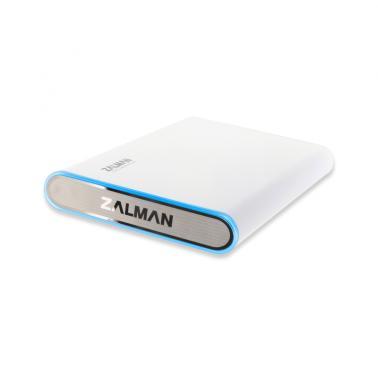
Zalman Zm-HE250 USB3 2.5in
Buy at MSYWe may earn a commission if you buy; it doesn't change your price. Check the price at MSY before you buy. How we make money
Price history
Tracking since today
The price hasn't changed since we started tracking it. We'll show its history once it does.
Available at 2 stores
Stores may pay us a commission when you buy; it doesn't affect the order or your price. Learn more
- MSY This page $31 Cheapest In stock Checked todayBuy
- Umart $31 In stock Checked today Buy

About this product
Zalman Zm-HE250 USB3 2.52.5 USB3.0 External HDD Case.SpecificationsDIMENSIONS84(W) x 16(H) x 134(D) mmMATERIALSAluminium, PolycarbonateINTERNAL INTERFACEUSB1.1 Max. 12Mbps, USB2.0 Max. 480Mbps, USB3.0 Max. 5.0GbpsEXTERNAL INTERFACES-ATA /COMPATIBLE HDD SIZE2.5"POWERInput: DC 5VSUPPORTED OSWindows 98, ME, 2000, XP, VISTA, 7 / Mac OS / LinuxCONTENTS- HDD Case- HDD Mounting Bolts & Screw Driver- Travel Pouch- USB 3.0 Cable - USB Auxiliary Power Cable- Users ManualBe sure to check the product and its components before use. If there is any problem, please consult your nearest purchase location.Keep device away from areas with strong magnetic fields as HDD and data can be damaged.Do not connect the device to a computer unless the desktop and HDD is completely assembled. Otherwise, it can damage the HDD and cause electrocution.During operation, the HDDs data can be damaged due to improper use. Be sure to back up important data to a separate storage device. Zalman is not responsible for any data loss which arises out of improper use.When removing the device, be sure to follow the safe hardware removal procedure according to the users OS. If the device is disconnected without safe removal, it may damage the product, HDD, and data.The HDD mounted on this product is fragile so be sure to avoid any shock to the device.Please be aware that executing RAID Mode Change, Partition Change, or HDD Format will delete all data stored on the HDD.Lightning may cause fire from electric shock or short circuit. If the product will not be used for a long time, be sure to unplug the device before storing it.HDD related inquiries should be directed to the HDD manufacturer.In order to use USB 3.0 function, you must have a USB 3.0 supported motherboard or install a separate controller card before connecting USB 3.0 cable.Product design and specifications may be revised to improve quality and performance.